Design System Redesign
Tools:
Deliverables:
Year:
Elements:
Project:
The Challenge
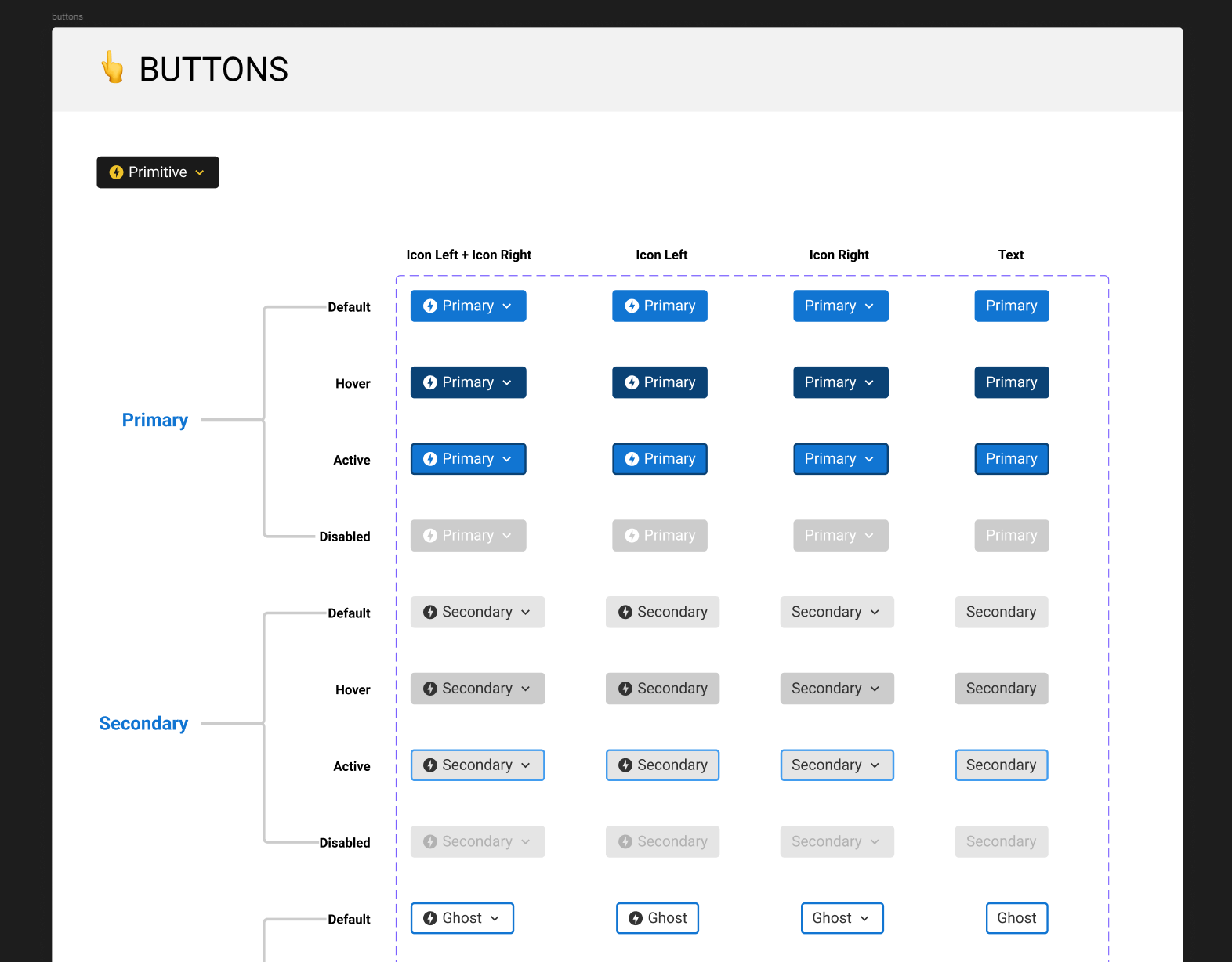
The design system we were using had been built about three years earlier, and a lot had changed since then. Some of the components were outdated, others had become unnecessarily complicated, and we weren't taking advantage of newer Figma features like Variables and improved Auto Layout. I wanted to use the redesign as an opportunity to do more than just give everything a visual refresh. The bigger goal was to clean up how the old design system worked, utilize the powerful new Figma features, and make it easier for the design team to build consistent screens without constantly recreating or adjusting components.
My Role & Process
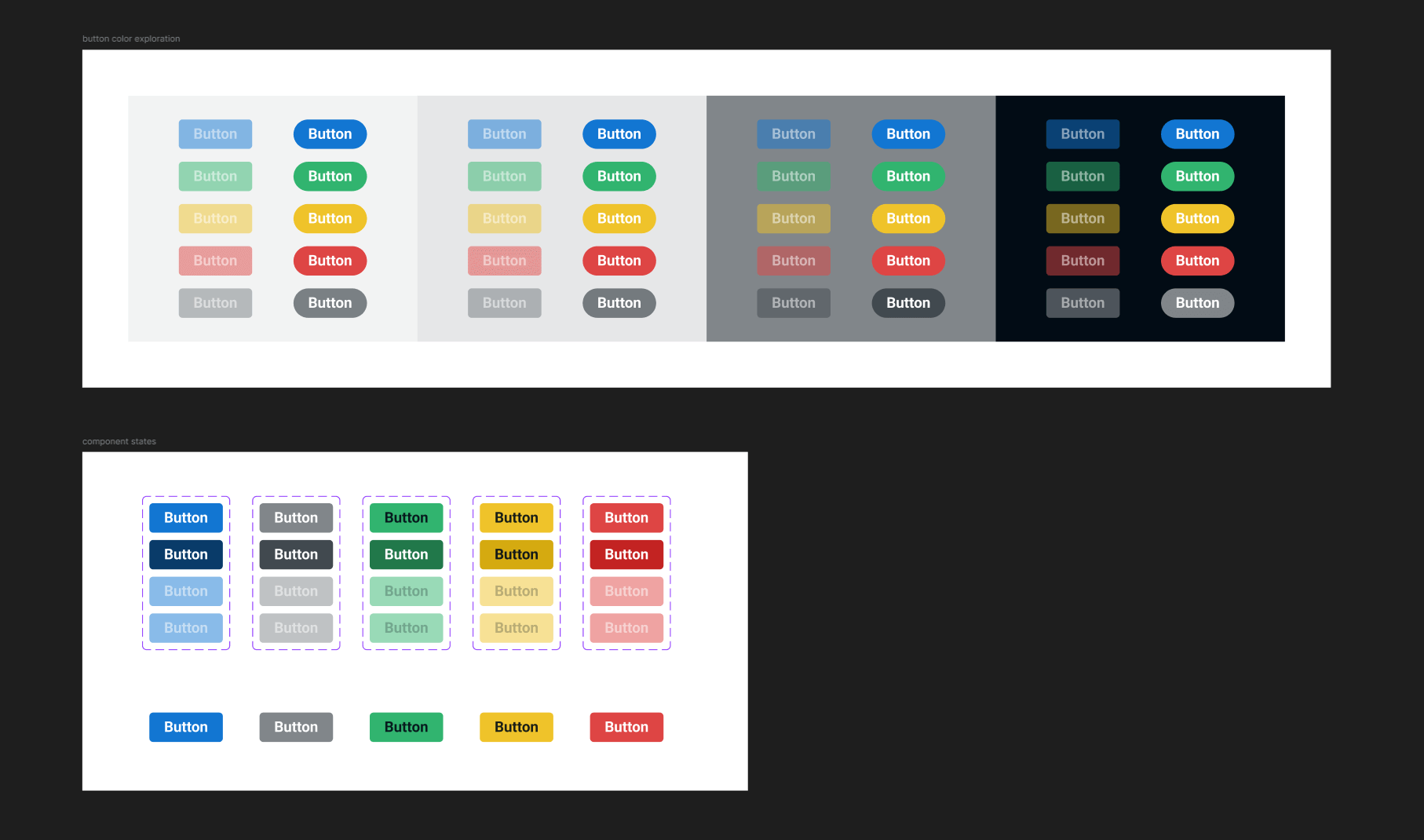
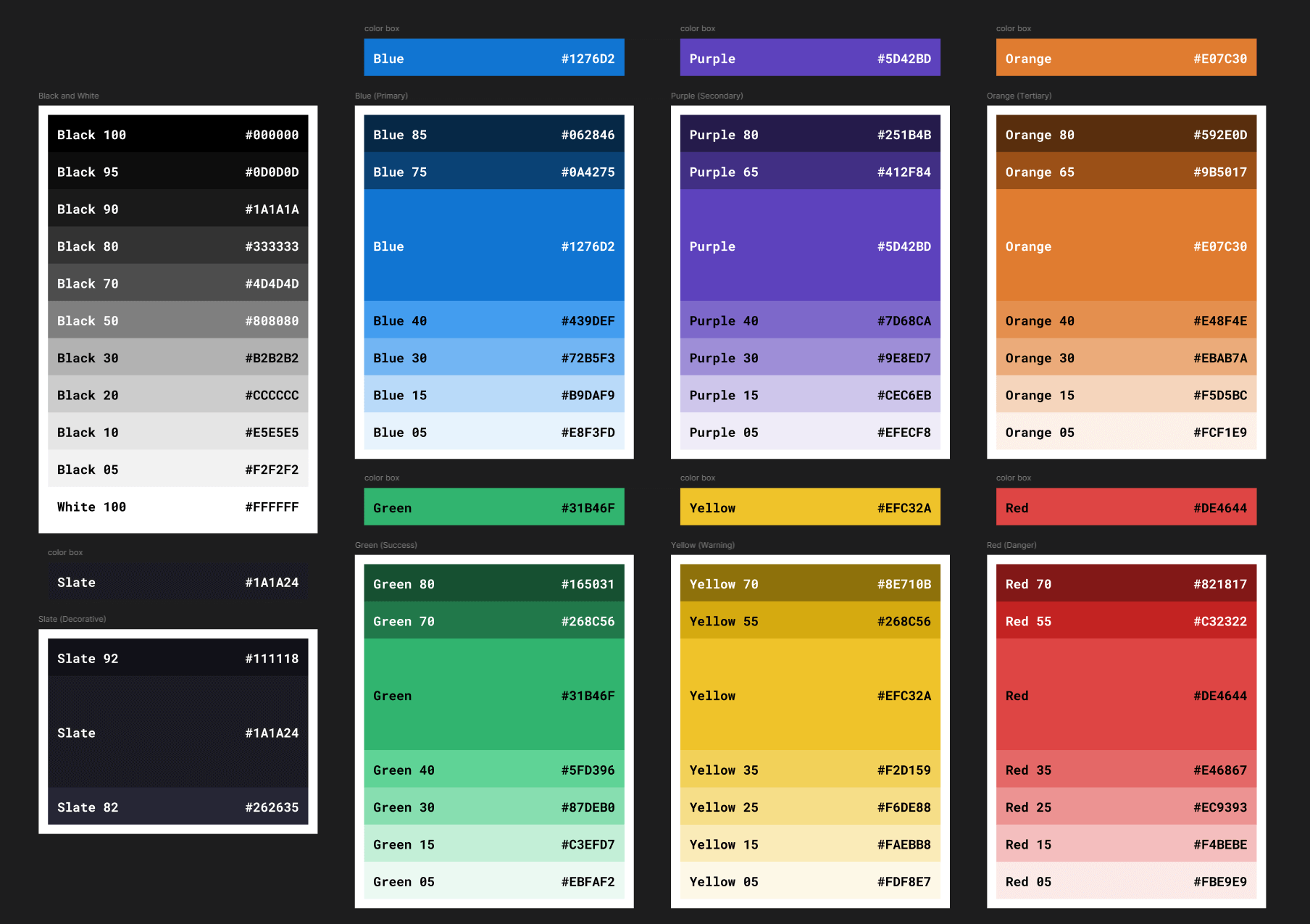
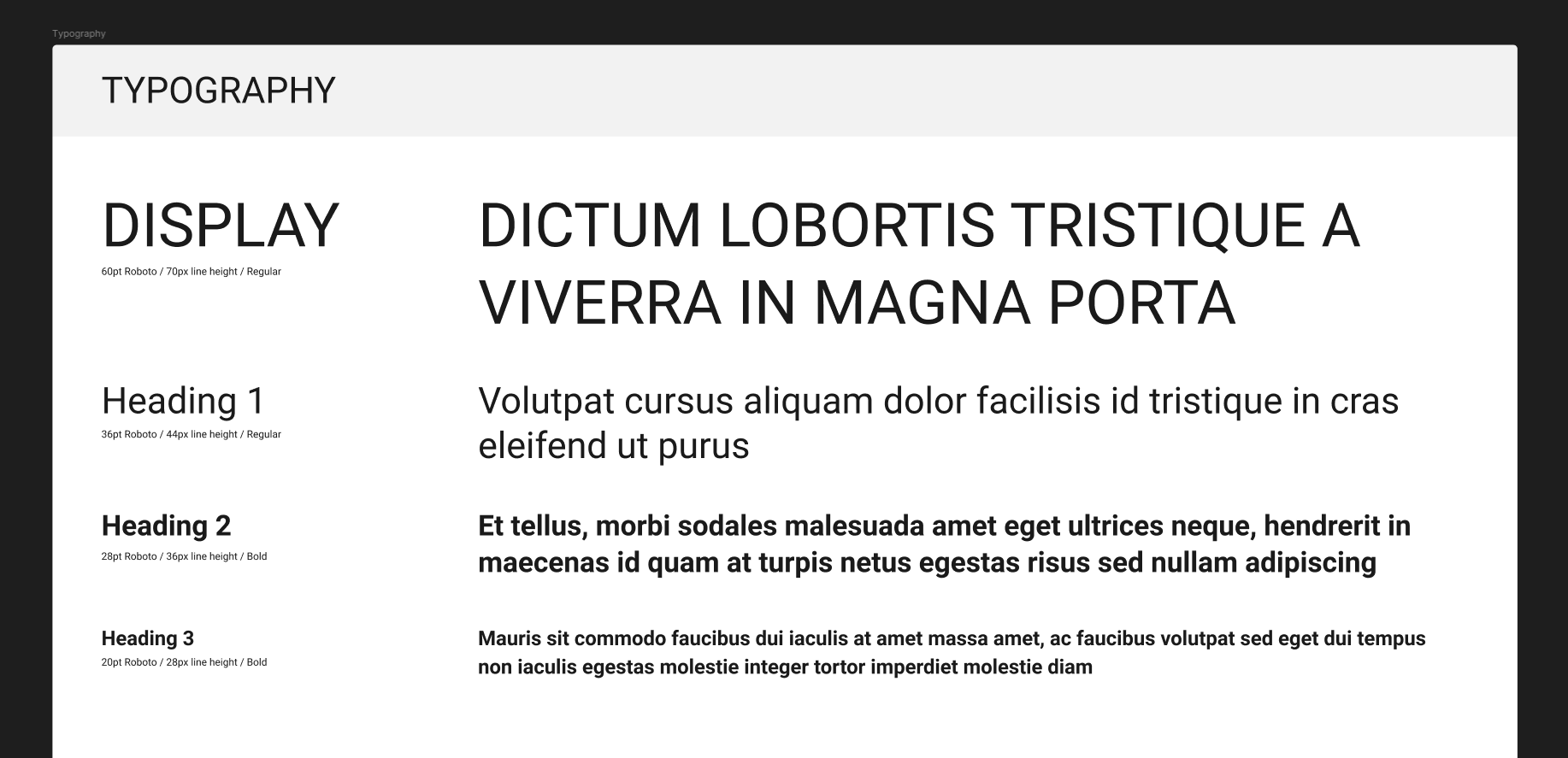
As the Senior UX Designer, I started by going through the existing design system and auditing the individual and larger-scale components one by one. I looked for things that were outdated, deprecated, unused, or could be rebuilt with newer Figma features. I also talked with the rest of the design team, stakeholders, and marketing to get a better idea of what was working in the current system and what was still missing. Marketing had certain screens and mockups they used regularly for demos, while the design team had its own list of components and design elements that needed to be modernized. From there, I started prioritizing the parts of the system that would have the largest positive effect across the product. Typography, colors, buttons, forms, modals, tables, and other frequently used UI elements were some of the first areas I focused on and tackled. I also spent time researching other established design systems to see how they handled things like color organization, typography, states, and component structure. I didn't want to copy another system, but it was useful to compare how other teams had solved similar problems, and make sure we weren't missing other useful Figma additions.
Solution
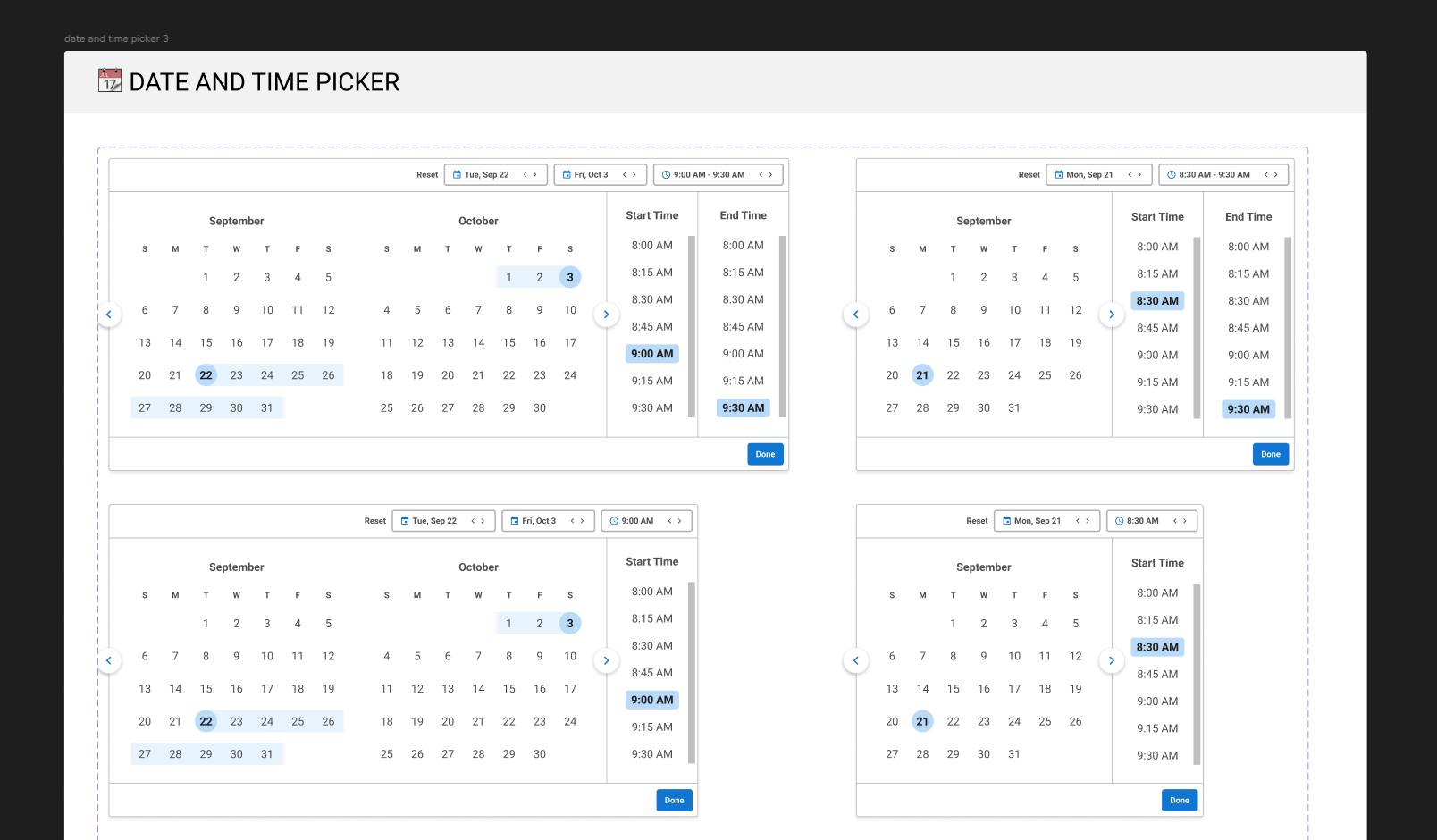
I rebuilt the system in a new Figma file and started with the basic building blocks before moving on to larger components. A lot of the work was really about simplifying things. Some components had more variants than we actually needed, while others could be rebuilt in a much cleaner way using Auto Layout, Variables, and updated component properties. Once the basic elements were working properly, I used them to build larger shared components such as input fields, modals, tables, buttons, and other patterns that appeared throughout the product. I regularly reviewed the updates with my design team as I worked through the entire system. That helped catch situations I hadn't considered and kept the redesign from becoming something that only made sense to the person building it.
Results & Impact
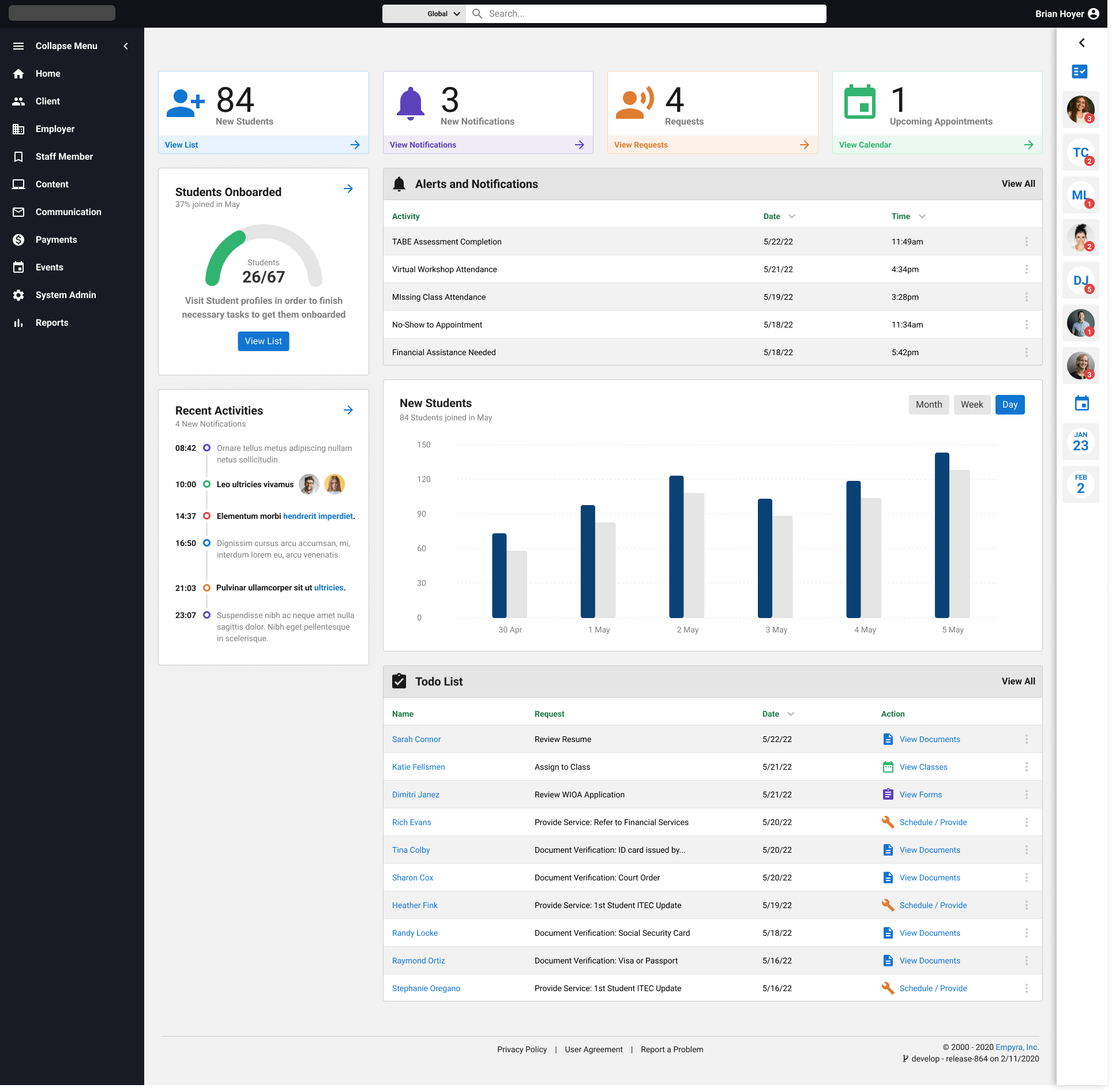
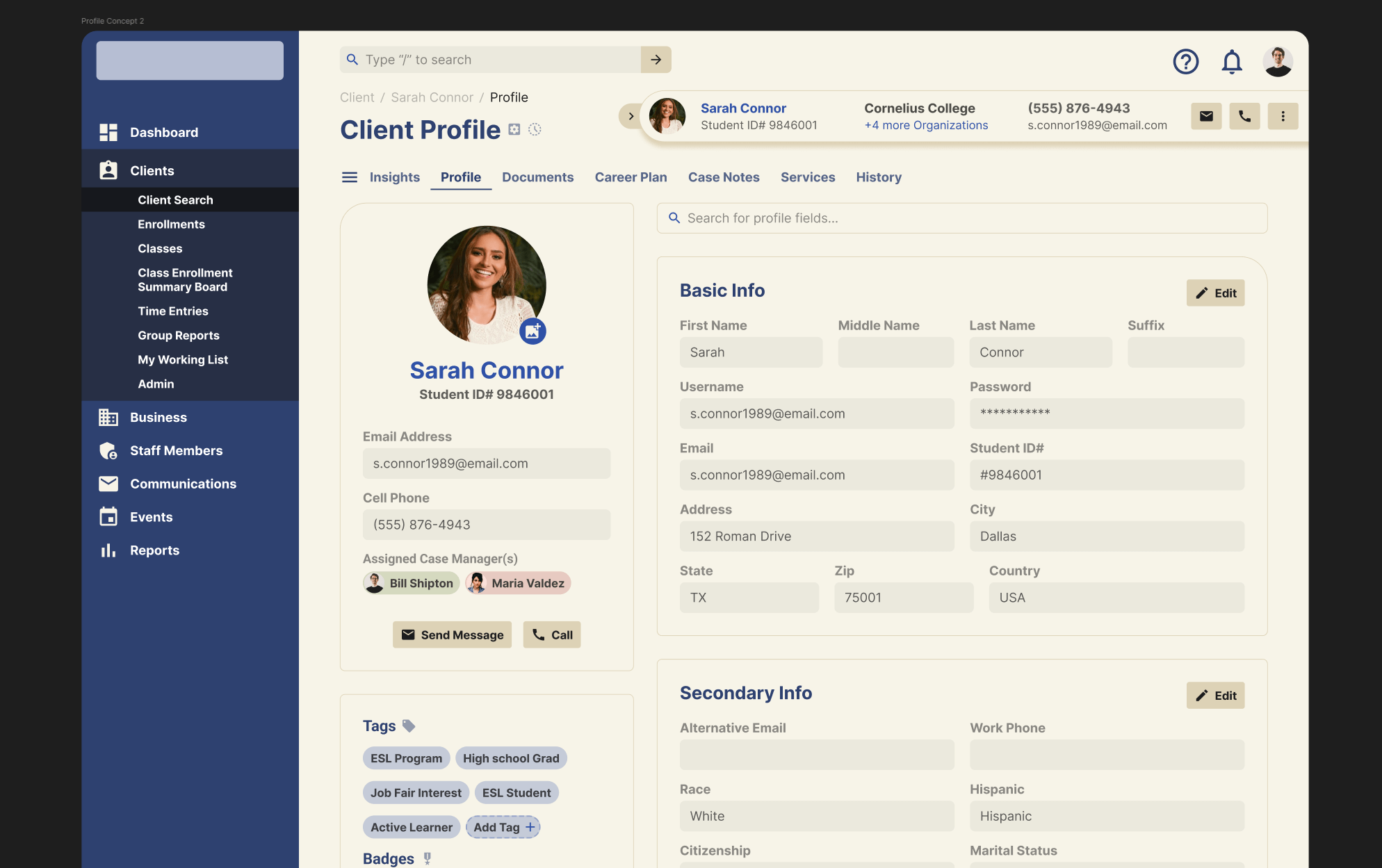
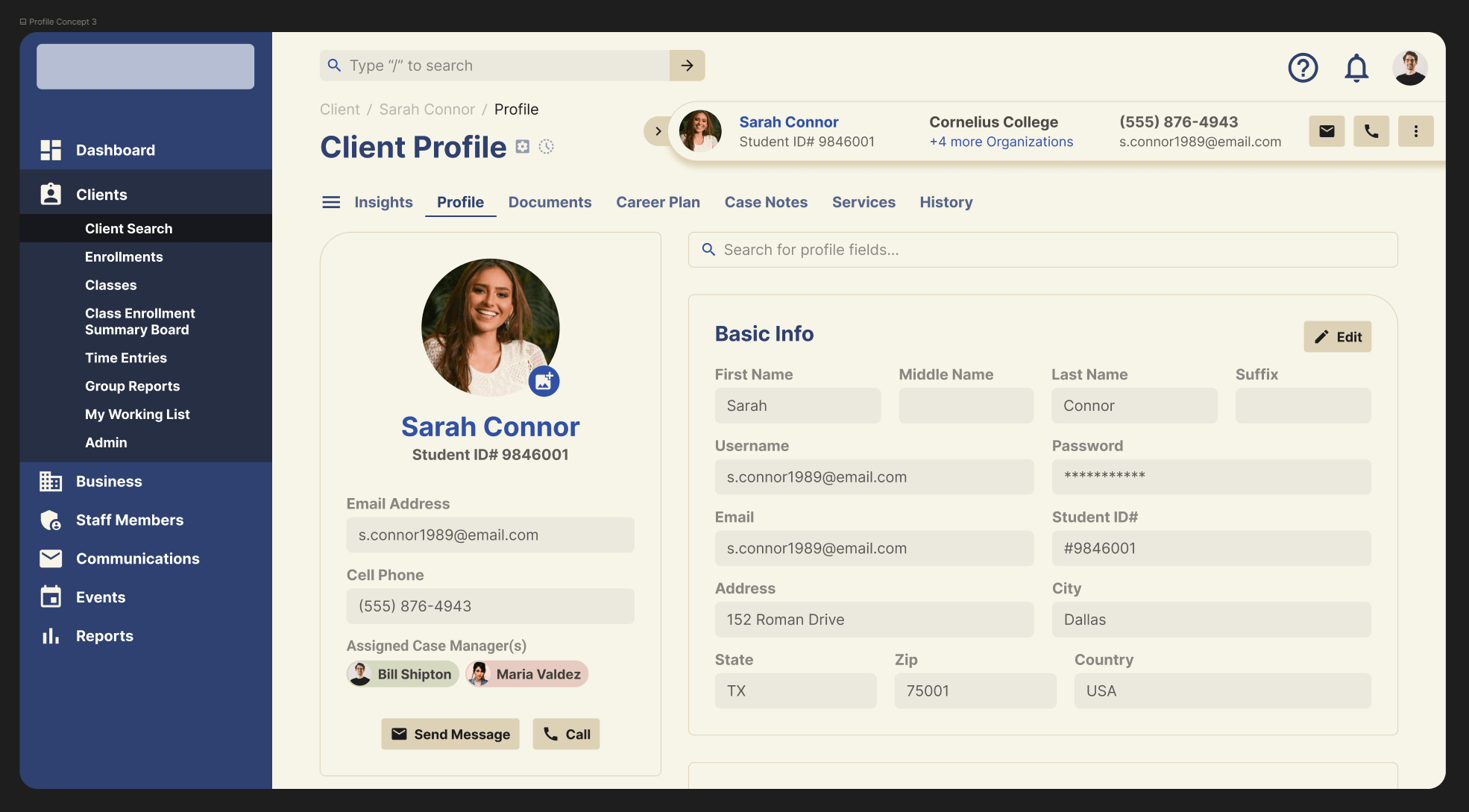
Once the updated system was in place, it allowed my design team to have a much stronger springboard in which to start developing new mockups and screens. Components were easier to understand and reuse, and the overall visual language of the product became more clear and consistent. The redesign also helped outside of the design team. I created updated mockups and prototypes for stakeholders and marketing so they could use the newer product visuals in presentations, demos, and sales meetings. I walked the different teams through the larger changes and explained some of the smaller updates that might not have been immediately obvious. The response was very positive, and a few of the concepts we explored during the redesign ended up becoming ideas we wanted to revisit later. It was helpful gathering responses from different teams in order to refine the redesign even further. One of the stronger components was a pre-fixed layout that contained a modular header, sidebar and footer that would be updated independently, regardless of what screen it was being used on. The clearest result was that the new system was easier for the team to work with, gave us a more consistent product, and created a much better foundation to kick off new screens and layouts.
What I learned
One of the biggest things I took away from this project was that redesigning a design system can grow in size very quickly if you don't keep a tight scope. It's easy to focus too much on what looks better and lose sight of what will actually make the system easier to use. It was important to establish my guardrails early and go back and forth with my team after certain milestones. Reviewing a lot of the components with my design team helped a lot with that. They helped point out some pain points that they were going through in the previous system and how to head those off in the new one. I also learned that doing more work upfront on component structure pays off later. Cleaning up variants and thinking carefully about how components would be reused took longer in the beginning, but it made the system much easier when building additional components moving forward.